November 12, 2026
How to Choose the Right Personal Alarm for an Older Adult
By @thecarenotebook
Start with the kinds of situations the alarm needs to handle
Personal alarms for older adults are not all the same. Some are designed for occasional use, like pressing a button when you feel unsteady. Others are meant to run in the background, automatically detecting a fall and calling for help. Before you compare features, think about the person who will wear it. Do they live alone? Are they active and mobile, or do they have a condition that makes falls more likely? The answers will guide every other decision.
A wearable safety alarm that only works when the user presses a button is less helpful for someone who might be unconscious after a fall. For that situation, fall detection is a critical feature. On the other hand, if the person is generally steady but wants reassurance in case of a medical episode, a simple SOS button may be enough. The first step is to match the alarm’s level of automation to the real risks.
Check the wearing options and how they fit into daily life
A personal alarm is only useful if it is worn. Many older adults resist wearing a device that looks medical or feels uncomfortable. The best wearable safety alarm is one that the person will actually put on each morning and keep on through the day. Look for options that suit their habits and preferences.
Some alarms come as a pendant on a cord, others as a wristband or a clip-on device. A pendant can be easy to reach but may swing around during activities or get caught on furniture. A wristband stays in place and is less likely to be forgotten, but some people find it irritating against the skin. Clip-on models can attach to clothing, which works well for someone who changes clothes frequently. Water resistance matters here too, because the device should stay on during a shower or bath, a common place for falls. Check whether the alarm can handle splashes or full immersion before making a choice.

Understand how the alarm calls for help
The core function of any personal alarm is to connect the user to help. How that connection works varies a lot between devices. Most modern alarms use a cellular or Wi-Fi connection to reach a monitoring centre or a list of emergency contacts. Some require a monthly monitoring fee, while others let you set up a free system that calls pre-programmed numbers directly.
If the alarm uses a monitoring centre, find out how the centre handles a call. Do they speak directly through the device and assess the situation? Is there an automatic answering service that tries to confirm the alert before sending help? Two-way voice communication is a strong feature because it lets the operator talk to the person, check if they are okay, and decide whether to contact emergency services or a family member. Without that voice link, the alarm can only send a location and a generic alert, which may lead to unnecessary callouts or delays.
For people who live alone, the ability to speak to someone through the device can be reassuring. For those who have a family member nearby, the alarm might simply call that person’s phone. Some alarms let you set up SMS commands, so the alert can be sent as a text message to multiple contacts at once. Think about who will be available to respond and how quickly they can act.
Look at battery life and setup support
A personal alarm that needs charging every day is a burden. Most good wearable safety alarms have a battery that lasts several days or even weeks between charges. Some use rechargeable batteries, others use standard coin cells. Check how the battery level is indicated. Does the device give a warning before it runs out? Some alarms send a notification to a caregiver’s phone when the battery is low. Others simply beep, which the user may not hear or understand.
Setup support is another practical consideration. Some devices arrive ready to go, with the SIM card or cellular connection already active. Others need a family member to install an app, pair the device, and create a contact list. If the older adult is not comfortable with technology, choose an alarm that offers a simple out-of-box experience or that comes with a setup service. A few providers, including familyr.co.nz, offer devices that are pre-configured so that the user can start wearing them immediately without fiddling with settings. That kind of support reduces the chance that the alarm will be left in a drawer because it seemed too complicated.
Compare the monitoring fees and what they cover
Monthly fees vary widely. Some alarms charge a flat rate that includes unlimited use and access to a monitoring centre. Others charge per call or per month. Before signing up, ask what the fee covers. Does it include fall detection and automatic answering? Is there an extra charge for GPS location sharing? Is the monitoring centre staffed 24 hours a day, seven days a week? Some services let you pause the plan if the user goes into hospital or stays with family, which can save money during those periods.
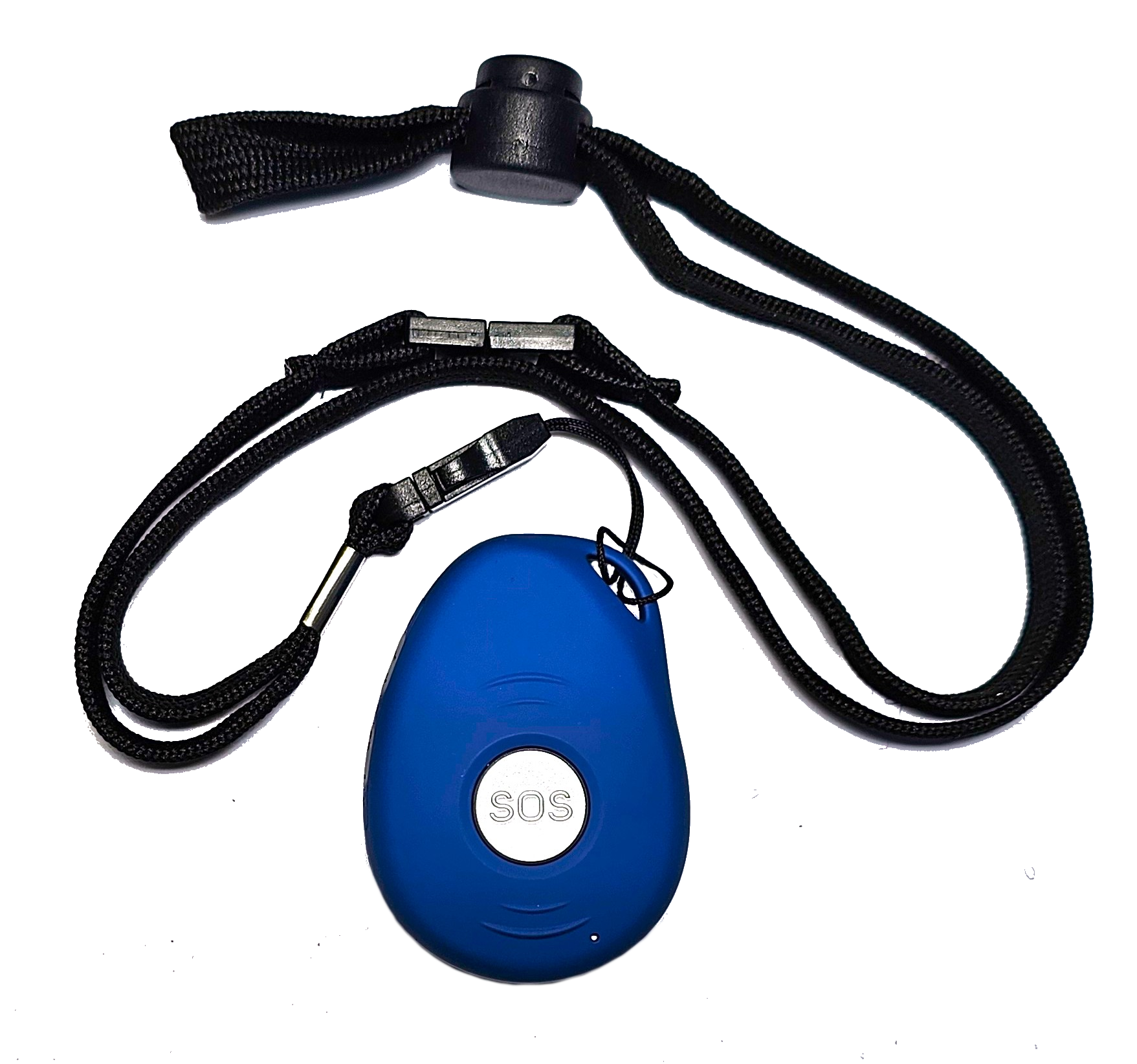
If the alarm works without a monthly fee, find out how it handles multiple contacts. Some free systems call the first number on the list and only move to the next if the first does not answer. That can work well, but if the first contact is unavailable or does not answer quickly, help can be delayed. A paid monitoring service typically keeps trying all contacts and escalates to emergency services if no one responds. The choice depends on how reliable the informal support network is.
Think about location tracking and range
For an older adult who lives alone or who goes out for walks, GPS location sharing can be a lifesaver. If the person falls and cannot speak, the alarm can send their exact location to the responder. This feature is especially important for someone who might wander due to dementia or who enjoys gardening and might fall outside the house where a neighbour would not see them. Check whether the GPS works indoors as well as outdoors. Some devices use Wi-Fi triangulation indoors, which can be less precise than the GPS signal they get outside.
For alarms that stay inside the home, like those that rely on a base station, range is key. How far can the user walk from the base unit before the alarm loses connection? If the person has a large house or spends time in the backyard, a limited range could make the device useless in those areas. Mobile alarms that work over cellular networks avoid that problem entirely because they do not depend on a nearby base station.
Test the device before committing
If possible, try the alarm yourself. Press the SOS button and see how long it takes for someone to respond. Ask the provider for a trial period. Many companies, including familyr.co.nz, offer a return window so that you can make sure the device works in the person’s home and that the user is comfortable wearing it. During the trial, check the sound quality of the two-way voice communication. Can the user hear the operator clearly? Can the operator hear the user? If the speaker is too quiet or the microphone picks up too much background noise, the device may not be effective in an emergency.
Also test the fall detection if the alarm has it. Some devices are sensitive enough to detect a fall accurately, while others can be triggered by a sudden movement like bending over. A false alarm is annoying, but a missed fall is dangerous. Read independent reviews to see how the device performs in real conditions.
Consider the user’s comfort with technology
Some personal alarms are very simple: one button, one function. Others have a screen, an app, and multiple settings. For an older adult who is not comfortable with smartphones, a simple device with a single button is usually the best choice. For someone who already uses a phone or tablet, an app-connected device can give them more control, like checking the battery level or adjusting the contact list themselves.

If the device uses an app, make sure the app is easy to navigate. Large text, clear icons, and a simple interface matter more than flashy features. The goal is to make the alarm a natural part of the day, not a source of frustration.
Choosing the right personal alarm for an older adult comes down to matching the device to the person’s lifestyle, health, and living situation. Focus first on the features that address the biggest risks, then consider the practical details of wearing and maintaining the device. A well-chosen wearable safety alarm provides peace of mind for both the user and their family, without adding unnecessary complexity or cost.
❧